SKU SV-SW-01
Family Ledger: Private Offline Household Budget App
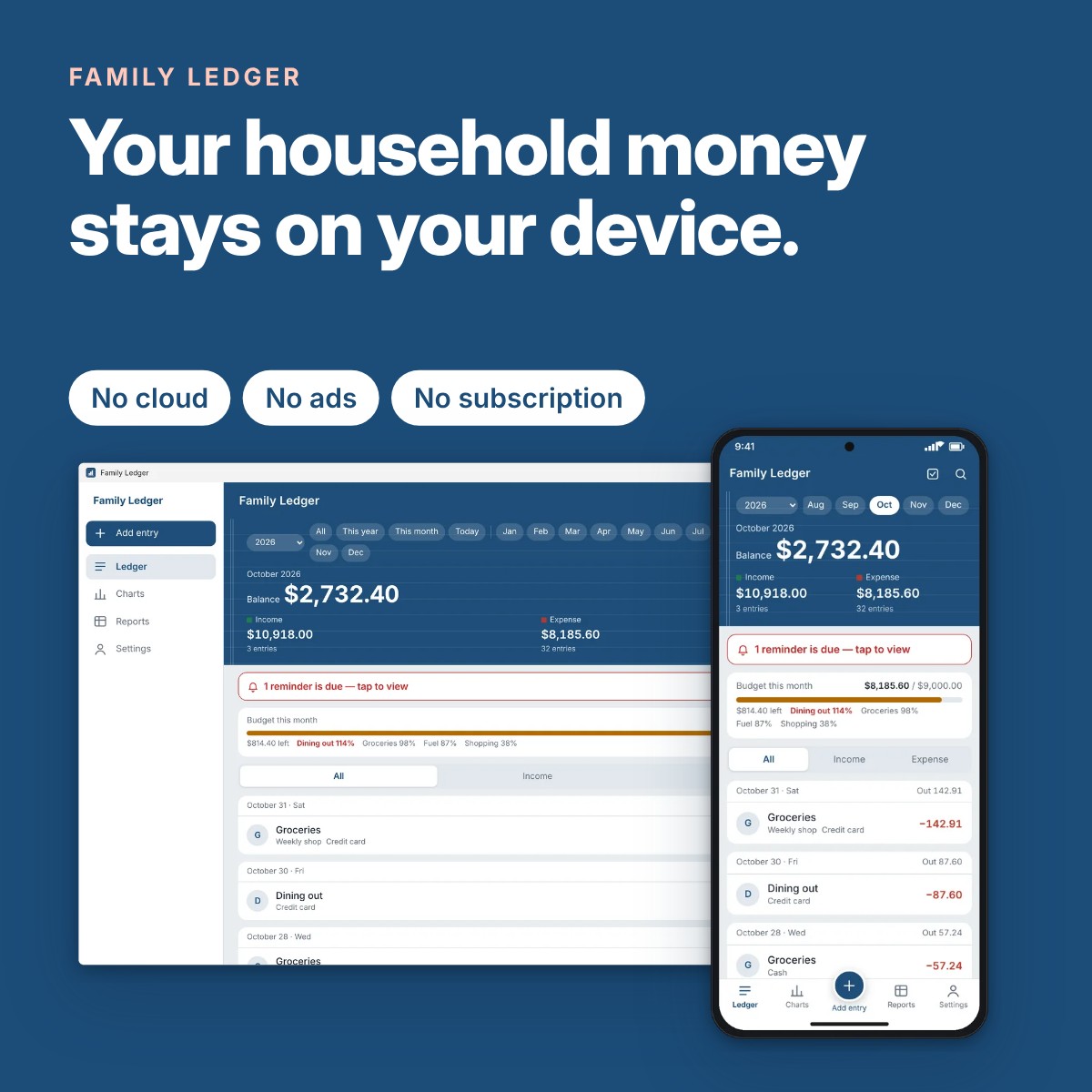
Private household bookkeeping for Android, Windows and the web. No cloud, no ads, no subscription.
Key features
- Android and Windows apps block all internet access: no upload, no sync.
- No online account, ads, in-app purchases or subscription.
- Add an entry in seconds; type sums like 12.50+8-3.
- Combine search filters: date, category, account, amount, note.
- Trend, spending and income charts, plus year, month, day and category reports.
- Monthly budgets, and one-off, monthly or yearly reminders.
- Tax-year summary with CSV export for your accountant.
- Import bank CSVs, export CSV, move devices with one backup file.
- Unit price
- $2.99 / license
- MOQ
- 1 license
- Price reply within 24 hours
- Express shipping worldwide
Shipping & Delivery
Ships from China by express courier or air mail. The cost and delivery estimate for your address are shown in your cart or quote before you pay.
- SF Express · 5-8 business days
- DHL Express · 3-6 business days
- Economy Air Mail · 12-25 business days
Payment Methods
Returns & Refunds
If an item arrives damaged, defective or wrong, tell us within 7 days with photos and we replace or refund it.
Learn moreDescription
Family Ledger is a private household bookkeeping app for Android, Windows and the web. It records income and expenses, keeps monthly budgets and reminders, and adds up each tax year. Your data stays on your device.
The Android and Windows apps block all internet access, so nothing is uploaded or synced. You can check this yourself with a firewall or traffic monitor. There is no online account, no ads, no in-app purchases and no subscription: you pay once and keep using it.
What you receive (digital delivery after payment)
Windows 10/11 64-bit installer and portable version
Android APK (Android 7.0 or newer)
Illustrated user guide (PDF) and CSV import template
Access to the web app, which runs in any current browser
Good to know
Windows may show "Windows protected your PC" because the app is not code-signed yet. Choose More info, then Run anyway, only if you trust the download source. Some antivirus tools may also flag unsigned software, so scan it with your own tool first.
The login password protects opening the app. It is not separate encryption of your data files, so use a full-disk tool such as BitLocker if you need that.
A forgotten password cannot be recovered. Make regular backups. Uninstalling the Android app deletes its data, so back up first.
In the web app, data lives in that browser. Clearing the browser's site data deletes it.
The tax summary helps you gather numbers. It is not tax advice.
Custom changes are available on request. Native macOS version: tell us if you need one. Mac users can use the web app in Safari.
Specifications
| Platforms | Android 7.0+, Windows 10/11 64-bit, web browser |
|---|---|
| Delivery | Digital |
| Version | 3.0 |
| Languages | English, Simplified Chinese, Spanish, French, German, Japanese |
| Currencies | 22 |
| Themes | 8, including 2 dark |
| Import / export | CSV (Excel files: save as CSV first) |
| Backup | One .json file |
| Password | PBKDF2-SHA256 hash, stored on the device |
Questions & answers
No questions yet. Be the first to ask.